6 Best AI Form Builders on the Market Right Now
Businesses are finally getting comfortable with going digital. Cloud storage replaced filing cabinets, project management software replaced endless email chains, and now AI is coming for the forms.
Building forms from scratch is tedious. You're staring at a blank screen, figuring out what fields you need, writing every question, setting up conditional logic so the right fields appear at the right time, and making it all look presentable. An hour later, you've got a basic contact form that still needs testing.
AI form builders changed that. Describe what you need, like "create a safety incident report for a warehouse", and the AI generates the whole form in seconds. Fields, questions, logic, structure. Done.
With every platform now rushing to slap "AI-powered" on their landing page, we separated the wheat from the chaff with six builders. Dive deeper into our list of the best AI form builders for different use cases and industries, and decide which one is the best for you.
What to consider while reviewing an AI form builder
Aside from "describe what you need" and generate a form, what else should you expect? Here's what matters when you're comparing options:
- Form customization & design: Can you brand the form so it doesn't look like a generic template? You'll want control over colors, logos, and layout — basically, make it match your site or company identity.
- Logic & workflow: Do you need conditional logic that shows or hides fields based on someone's answers? Multi-page flows? Branching paths that auto-route responses to different people or systems? Basic forms are easy. Smart forms that adapt to each respondent require actual workflow capabilities, and not every form builder handles this well.
- Integrations: Do the forms you generate connect with the tools you already use, like your CRM, email system, database, or project management platform? Look for native integrations or, at a minimum, a solid API you can work with.
- Data, security, and privacy: Where do responses get stored? What encryption and hosting region options are available? Are the forms GDPR-compliant? Your business forms need to be secure, not just look nice.
- Cost vs scale: Pricing models vary wildly: some platforms charge per user, while others charge per submission. Sometimes, essential features are locked behind expensive plans. Run the numbers before committing to a specific solution.
- Ease of use: If multiple people in your organization need to build forms, the UI better be intuitive. An AI-generated form that requires a PhD to polish or implement defeats the entire purpose of using an AI form builder.
Best AI form builders on the market right now
Instead of clicking through templates and manually adding fields, you describe what you need, and the AI builds it in seconds. The real question isn't whether to use one, it's which one actually delivers for your specific use case.
Here are six platforms that get the job done, each with different strengths depending on whether you're running field operations, building lead gen funnels, or just need a solid all-purpose form tool.
| Tool | Best for | AI capabilities | Key strengths | Main limitations |
|---|---|---|---|---|
| Forms On Fire | Industrial and field teams that want to digitize workflows with mobile forms | Speak it, type it, or upload a document | Offline functionality, deep integrations, forever free support | Not ideal for marketing forms or industry research |
| Makeforms | Versatile use cases across industries | Chat-based generation, multilingual, PDF conversion | Multilingual, quiz builder, compliance options | No manual editing (chat only), no API |
| Fillout | Airtable/Notion users | Multiple input methods, style generation | Database syncing, generous free plan | No offline, AI doesn't help with edits |
| Jotform | Complex forms with extensive integrations | Conversational chatbot builder, AI Agents | Massive ecosystem, AI Agents, 500+ widgets | Design customization limited to colors |
| Typeform | Conversational, high-engagement marketing, support, and HR forms | Full AI suite (Creator, Interaction, Insights) | Beautiful UI, conversational flow, deep insights | Very restrictive free plan (10 responses) |
| Involve.me | Lead generation funnels with quizzes | Funnel generator with automatic branding | Interactive funnels, lead scoring, personalization | Important features locked behind higher tiers |
Quick decision guide:
- Need offline-capable mobile forms? → Forms On Fire
- Working in Airtable/Notion? → Fillout
- Want the biggest feature set? → Jotform
- Prioritize beautiful design? → Typeform
- Building lead gen funnels? → Involve.me
- Need multilingual forms? → Makeforms
1. Forms on Fire
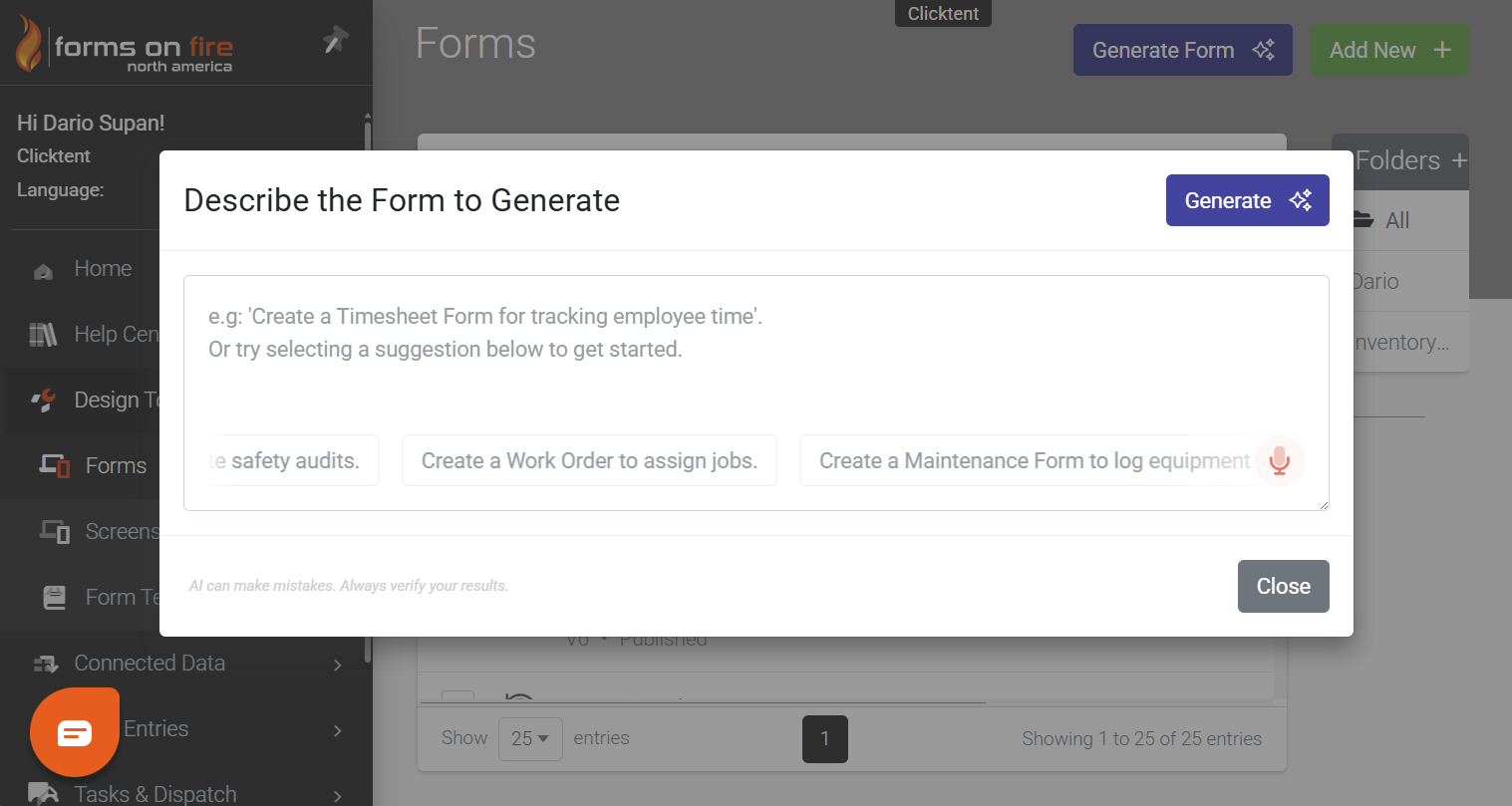
Forms On Fire is a mobile-first platform built for teams that work in the field: construction sites, healthcare facilities, manufacturing floors, basically anywhere people need to collect data away from a desk. The AI form builder lets you describe what you need and generates a custom form instantly. Your team can use those forms offline, capture photos and signatures on the spot, and sync everything automatically when they're back online.
Best for: Businesses that are looking to digitize and automate internal workflows (inspections, audits, EHS, risk management, field service management) with offline-capable, mobile-friendly forms.
Key features:
- Powerful AI-assistant: Speak it, type it, or drop in a PDF; the AI Assistant converts ideas and paper forms into functioning mobile forms in seconds. Describe your form, upload an existing document (PDF, Doc, image), and watch the AI engine translate it into a structured digital form instantly.
- Offline functionality: Whether you build with AI or drag-and-drop, forms work without an internet connection. Your team fills them out in basements, remote job sites, or anywhere else coverage is spotty, and data syncs automatically when they're back online.
- Rich input capabilities: Snap photos of equipment issues, damage, or completed work right within the form. Capture signatures for approvals or sign-offs. Scan NFC tags and QR codes for asset tracking. Use GPS tracking to map inspection locations and verify site visits.
- Conditional logic and workflow automation: Build complex, multi-step forms that show or hide fields based on previous answers. Route completed forms to different people depending on what was reported, and trigger automatic notifications so the right person knows immediately when something needs attention.
- Integration capabilities: Connect with your existing CRM, project management tools, or databases. Forms On Fire plays nicely with other systems, so you're not creating data silos or manually transferring information.
Potential limitations: Forms On Fire is purpose-built for operational and field use cases, so if you're looking for something focused solely on marketing lead capture or industry research surveys, other platforms might be a better fit.
Pricing:
- Free plan: No
- Free trial: Yes, you can start your 14-day trial here
- Paid plans: Start at $32/user/month (annual billing). Standard caps you at 1,500 entries per user per month. Custom pricing available for enterprise with white-labeling and privately managed servers.
2. Makeforms
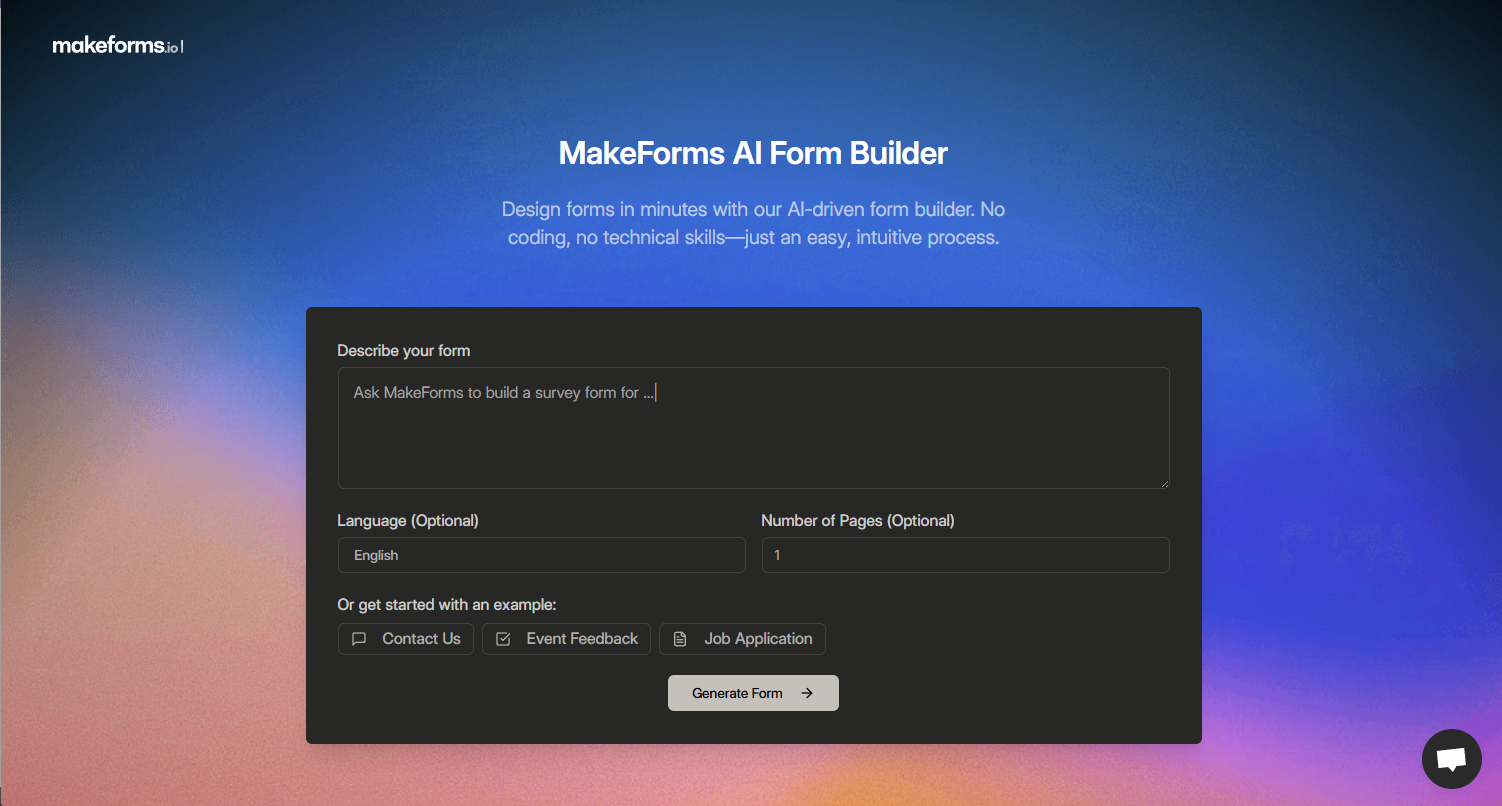
Makeforms is an AI-powered form builder that simplifies the entire form-creation process through a conversational interface. Tell it what you need, and it generates the form: questions, field types, logic, and all. The platform focuses on versatility, offering everything from single-page forms to multi-step flows, quizzes, surveys, and fillable PDFs.
Best for: Teams needing versatile forms across multiple use cases — lead generation, customer feedback, quizzes, event registration — without getting locked into a single industry or workflow.
Key features:
- AI form generation with multiple input methods: Describe your form in plain language, and Makeforms builds it instantly. You can also convert PDFs into fillable forms, paste content from Google Docs or Word, and turn it into a structured form, or upload documents for the AI to extract and organize into form fields.
- Multilingual form creation: Build forms in multiple languages at once. Describe what you need in your primary language, select additional languages, and Makeforms generates the form in all of them simultaneously; no need to create separate versions.
- Quiz and test builder: Turn forms into scored quizzes in seconds. Add correct answers, assign point values, set up logic-based branching, and provide automated feedback. Great for educational content, training assessments, or interactive lead qualification.
- Conditional logic and workflows: Show or hide fields based on previous answers, route submissions to different people or systems, and automate notifications through email, SMS, or WhatsApp so you're never chasing down responses manually.
- Data residency and compliance: Choose from 12 data residency regions for storing form responses. HIPAA, GDPR, SOC-2, and ISO compliant, so you're covered whether you're handling patient information, EU data, or other sensitive submissions.
Potential limitations: It seems you can’t manually edit fields, only through chat conversation. No native API available, which can limit advanced integrations beyond the pre-built connectors.
Pricing:
- Free plan: Yes, but only for AI builder
- Free trial: Yes
- Paid plans: Start at $25/user/month (annual billing). Custom pricing available for enterprise with dedicated storage and SSO.
3. Fillout
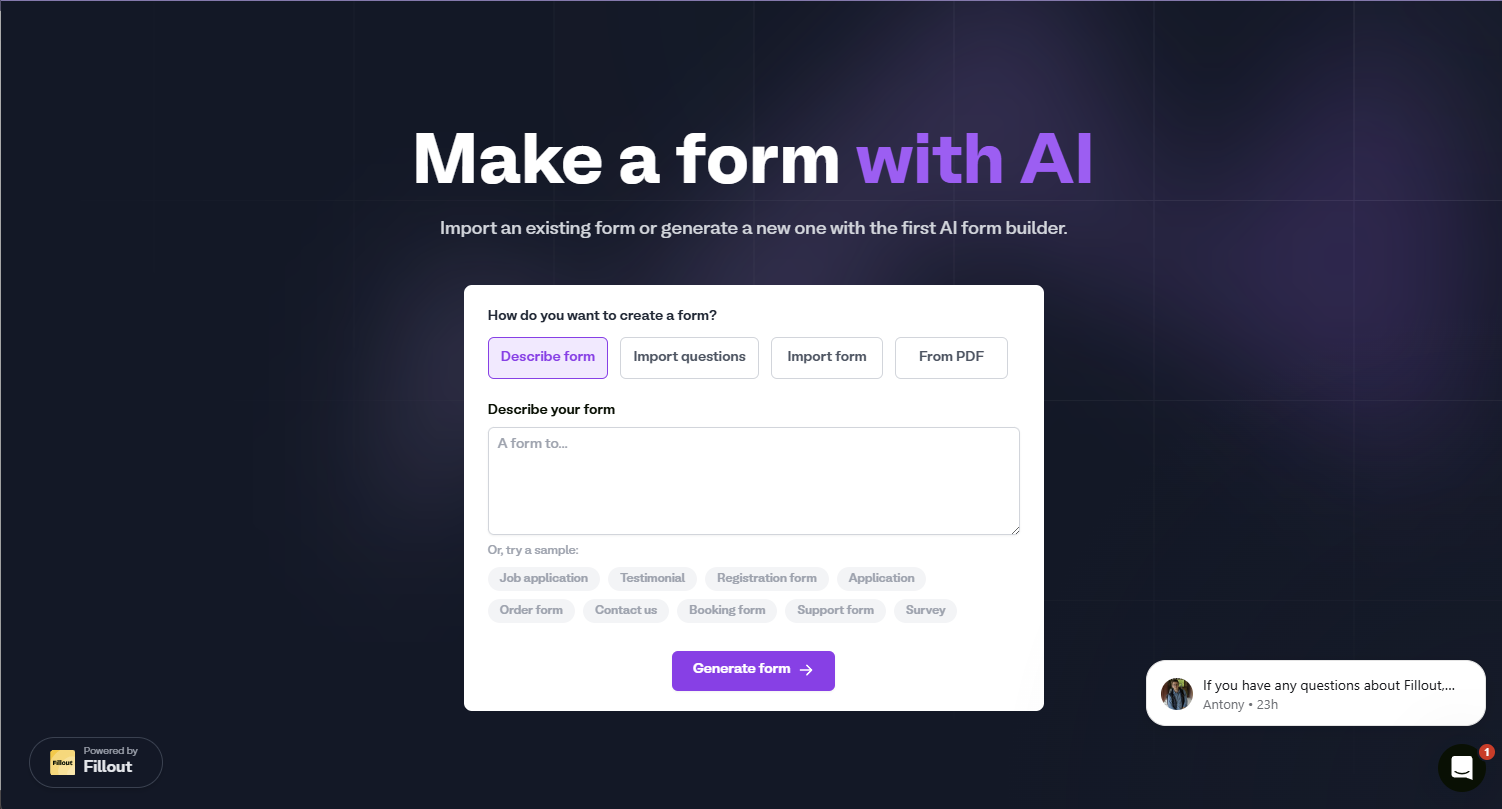
Fillout is a no-code form builder that makes form creation fast and flexible through multiple AI-powered methods. Generate forms from a simple prompt, import questions from PDFs or existing forms, or paste text and watch it convert into structured fields.
Best for: Teams using Airtable, Notion, or Google Sheets who need bidirectional form syncing with their databases and want advanced customization without coding.
Key features:
- Multiple AI input methods: Describe what you need and generate a form from scratch, upload a PDF and convert it into fillable fields, paste a list of questions and watch the AI structure them, or import existing forms from Google Forms or other platforms. The AI suggests questions that you can choose to include.
- AI style generation: Upload your logo or a brand image, and the AI generates a complete visual theme that matches your branding — colors, fonts, overall aesthetic.
- Deep database integrations: Two-way sync with Airtable, Notion, and Google Sheets means forms can pull live data to pre-fill fields or create dynamic dropdowns, then push new submissions back automatically. No exporting CSVs or manually updating records.
- Advanced conditional logic and workflows: Show or hide fields based on answers, create multi-page forms with branching paths, set up automated email notifications, and build approval workflows. Embed payment collection via Stripe and scheduling pages directly into forms.
Potential limitations: The AI generates the initial form structure, but doesn't help with iterative edits: you're back to manual adjustments after the first generation. No offline capability, which makes it unsuitable for fieldwork or areas with unreliable internet.
Pricing:
- Free plan: Yes
- Free trial: No, but the free plan lets you test everything
- Paid plans: Start at $19/month (annual billing). Enterprise pricing is available for organizations needing advanced security and data residency options.
4. Jotform
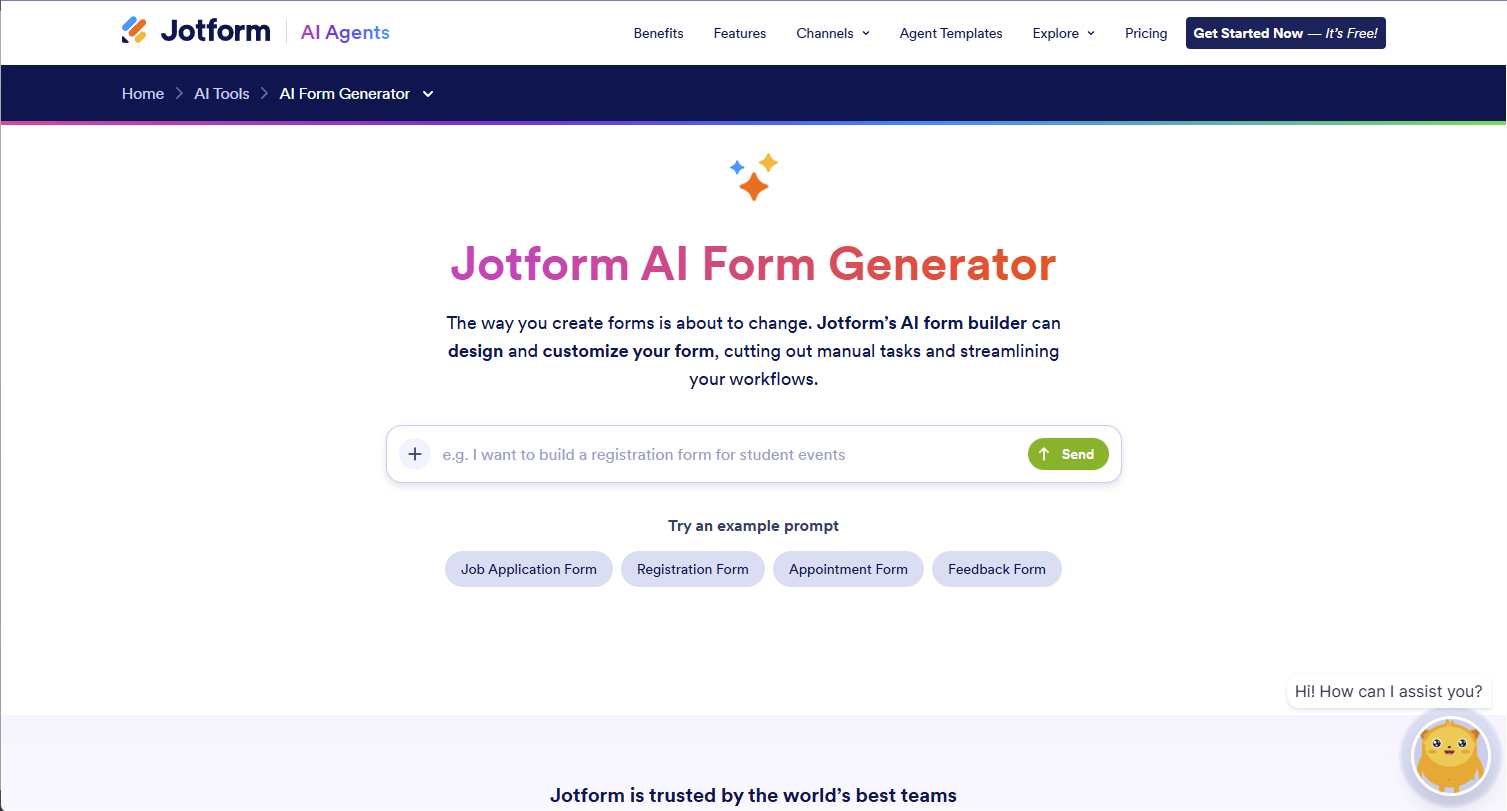
Jotform’s AI form generator lets you say what kind of form you need and generates the complete form with relevant questions, field types, and structure. Beyond basic generation, Jotform's real strength is its extensive ecosystem: 10,000+ templates, payment integrations, workflow automation, and connections to over 100 external apps.
Best for: Teams needing complex forms with advanced logic, payment processing, and extensive third-party integrations; beneficial for businesses managing workflows, approvals, and automated data routing.
Key features:
- AI Form Generator with conversational chatbot: Describe your form through a chatbot interface: "I want to build a fire drill report form," and the AI generates it. Continue chatting with the AI chatbot inside the Form Builder to make content or design changes conversationally (or edit them manually).
- Industry-specific form generation: The AI creates forms tailored to specific industries and use cases, generating relevant fields and structure based on your prompt. Choose from example prompts like job applications, registrations, appointments, or feedback forms.
- AI Agents for automation: Build your own AI Agents that think, respond, and take action on your behalf. They handle customer inquiries, manage workflows, and personalize interactions 24/7, going beyond simple form automation.
- 250+ integrations and 500+ widgets: Connect forms to CRMs, payment processors, and data management tools. Add widgets to embed PDFs, collect signatures, create checklists, and more. All forms are automatically optimized for mobile, tablet, and desktop devices.
Potential limitations: Currently, design customization through AI is limited to changing form colors. Form creation limits are based on your subscription plan, which might restrict teams that want to build a whole bunch of different forms.
Pricing:
- Free plan: Yes, but limited to 5 forms and 100 monthly submissions with Jotform branding
- Free trial: No, but the free plan lets you test basic features
- Paid plans: Start at $34/month (annual billing); limited to 1 user and 1k submissions. Enterprise pricing is available for custom needs.
5. Typeform

Typeform is a form builder known for creating beautiful, conversational forms. Its AI suite powers the entire data collection process from form creation to analysis. The platform focuses on engagement, using one-question-at-a-time layouts, visual design, and AI-driven follow-ups to boost completion rates.
Best for: Marketing teams, researchers, and customer experience professionals who need visually striking, conversational forms that maximize engagement and completion rates.
Key features:
- Creator AI for automated form building: Type what you need, and Creator AI generates the questions and builds your form in seconds. Import questions by copying, pasting, or uploading a Google Form. The AI Brand Kit pulls your company URL and automatically applies your colors, logo, and design elements: instant branding, no manual tweaking.
- AI Form Translation and Content Optimizer: Translate forms into 25+ languages automatically. The Content Optimizer rewrites your questions for clarity, so you get better, more accurate responses without the back-and-forth guesswork.
- Interaction AI for dynamic follow-ups: Clarify with AI automatically follows up when someone gives a vague, open-ended response. It asks unique, interview-style questions that pull out deeper insights instead of accepting "It was fine" as a complete answer.
- Insights AI for instant analysis: Ask AI simple questions about your data, like "what are the main themes here?" and get charts and summaries immediately. Qualitative Analysis finds patterns in open-ended responses. Quantitative Analysis turns closed-ended data into visuals with key takeaways ready to go.
- Conversational design that actually works: That one-question-at-a-time format isn't just for looks. It reduces cognitive load, keeps people focused, and leads to higher completion rates and more thoughtful answers.
Potential limitations: TypeForm is great for teams working inside an office, but it lacks important features and autoamtions that would make it usable for operational and field teams.
Pricing:
- Free plan: Yes, but limited to 10 responses per month with Typeform branding
- Free trial: No, the free plan lets you test basic features
- Paid plans: Core plans start at $25/month (annual billing) for Basic with 100 responses. Enterprise pricing available for custom needs.
6. Involve.me
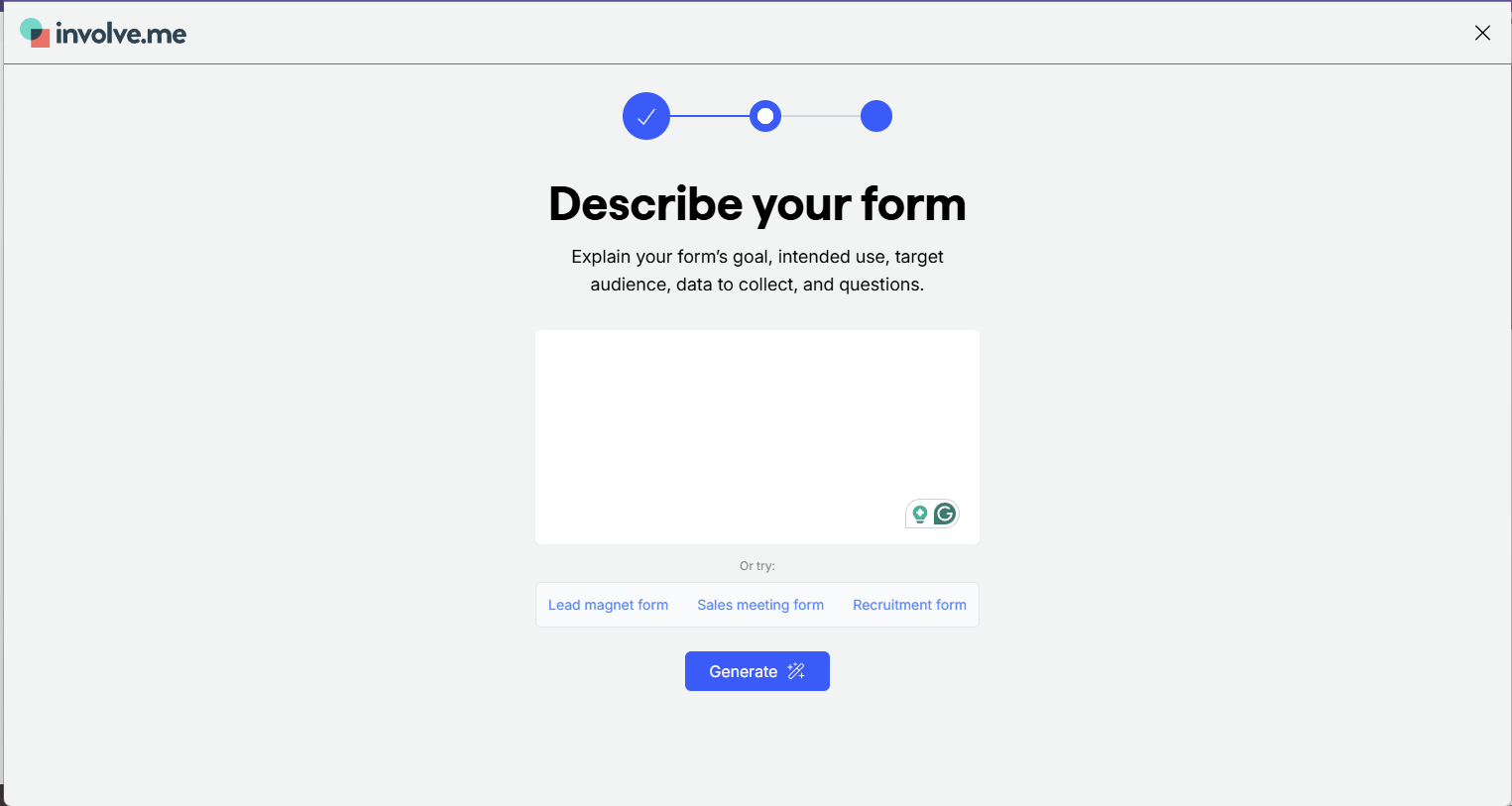
Involve.me builds entire interactive funnels: quizzes, calculators, surveys, and multi-step flows that adapt as people move through them. The AI handles the heavy lifting on personalization and lead qualification, so you're not just collecting data, but guiding people through a journey that ends with qualified leads ready for your sales team.
Best for: Marketers and sales teams focused on lead generation, qualification, and conversion who need interactive funnels with quizzes, calculators, and personalized outcomes rather than basic forms.
Key features:
- AI form generator with automatic branding: Paste your website URL and describe what you need. In under a minute, the AI pulls your fonts, logo, and colors, then generates a branded multi-step form that combines quiz, survey, and calculator elements. Pick from multiple generated template styles, decide if you want one question per page or multiple, and you're done.
- AI-powered personalization: Create personalized experiences with AI-generated responses and outcome pages based on what each person enters. Use conditional logic and answer piping to adapt every step of the funnel. Each respondent gets content tailored to their specific answers.
- AI Insights for automatic reporting: Stop manually analyzing responses. AI Insights generates reports with summaries, key findings, and recommendations. You get instant intelligence on what's working without sifting through spreadsheets.
- 60+ native integrations: Connect with HubSpot, Salesforce, Mailchimp, ActiveCampaign, Airtable, Google Sheets, and more. Data syncs automatically into your tech stack without manual exports or CSV files bouncing around.
- Multiple sharing and embedding options: Publish forms and embed them on your website, display as pop-ups, share via link or QR code, or email directly to contacts. Forms work seamlessly on mobile and desktop.
Potential limitations: The AI Form Generator creates forms for any website, but customization after generation requires creating a free account. Advanced features like conditional logic and integrations are available after signing up.
Pricing:
- Free plan: Yes, includes up to 50 submissions or 500 visits per month with basic features
- Free trial: Yes, 14-day trial for paid plans
- Paid plans: Start at $29/month (annual billing) for Basic. Enterprise pricing available for custom needs with unlimited submissions and dedicated storage.
How do AI form generators work?
When you tell an AI form builder "create a safety incident report for a manufacturing facility," you're talking to a large language model (LLM); the same technology behind ChatGPT. The AI reads your prompt, figures out what you need (industry: manufacturing, purpose: incident reporting), and generates a structured form based on patterns it learned from similar examples.
Behind the scenes, the LLM determines what fields make sense for your use case. For a manufacturing incident report, it knows you need date/time stamps, location details, injury severity levels, equipment involved, witness statements, and corrective actions taken.
It picks appropriate field types: dropdown menus for incident categories, checkboxes for PPE worn, photo upload for equipment damage, text fields for descriptions. Then it arranges everything in a logical sequence.
Some platforms let you keep refining through conversation. "Add a section for near-miss incidents" or "include fields for OSHA recordkeeping" leads to the AI adjusting the form while remembering what it has already built.
Overall, it’s an additional way to optimize your form-building process.
Forms On Fire leads AI generation in the mobile forms space
Forms On Fire leads AI generation in the mobile forms space, but the real power shows up after you build that first form. Once you generate a form, it becomes part of a connected ecosystem. Connect everything to your CRM, project management tools, or databases, and end up with a fully customized mobile app that matches how your operation actually works, no developers required.
The template library is built for industrial and field teams: safety inspections, equipment logs, incident reports, shift handoffs. Stuff field operations actually use, not generic contact forms. Customer support is legitimately good. You're not waiting three days for a canned response from someone reading a script.
Integration capabilities mean data flows where it needs to go without manual transfers. Whether it’s Salesforce, Google Sheets, Power BI, or your custom database, Forms On Fire connects to the tools you already use.
Ready to see what AI-powered mobile forms can do for your business? Start a free trial and build your first form in minutes.